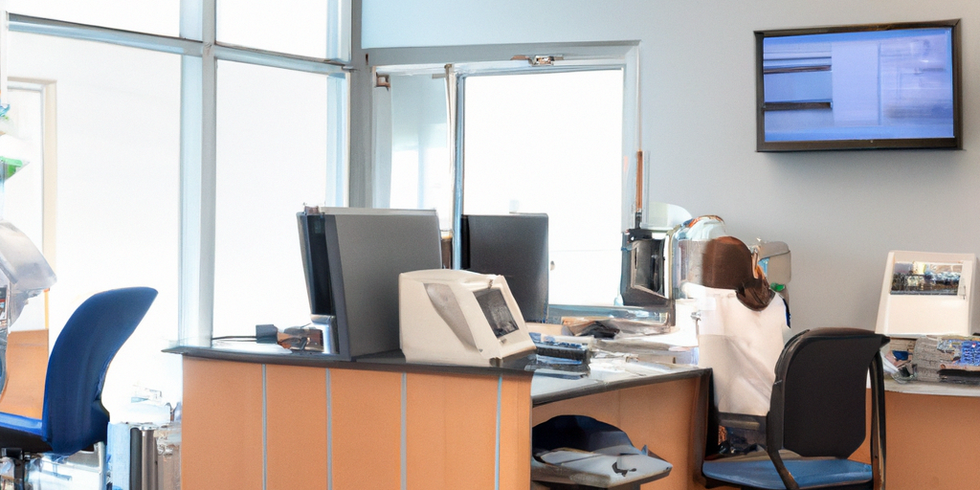
Healthcare practices face unique IT challenges that require specialized attention beyond typical business technology needs. A comprehensive managed IT support checklist for healthcare practices ensures your medical office maintains HIPAA compliance, protects patient data, and keeps operations running smoothly. This checklist serves as your roadmap for evaluating current IT infrastructure and identifying areas that need professional oversight.
Essential HIPAA Compliance Components
HIPAA compliance forms the foundation of healthcare IT management. The Security Rule requires administrative, physical, and technical safeguards to protect electronic protected health information (ePHI).
Administrative safeguards include designating HIPAA Privacy and Security Officers, conducting annual risk assessments, and maintaining documented policies for access controls and incident response. Your practice must also ensure all staff receive ongoing HIPAA training and that breach notification procedures are clearly defined with proper timelines.
Technical safeguards require multi-factor authentication, role-based access controls, and audit trails for all system activity. Automatic session timeouts, encrypted data transmission, and regular access audits help prevent unauthorized PHI exposure.
Your IT support partner must provide a signed Business Associate Agreement (BAA) that clearly defines their responsibilities for PHI protection. This agreement should be regularly reviewed and updated as your practice grows or technology changes.
Critical Cybersecurity Measures
Healthcare organizations face a 400% increase in cyberattacks, making robust security measures non-negotiable. A proper managed IT support checklist for healthcare practices must include comprehensive threat protection.
24/7 monitoring through a Security Operations Center (SOC) provides continuous threat detection and rapid response capabilities. This includes endpoint detection and response (EDR), email filtering, and dark web monitoring to identify potential breaches before they occur.
Regular vulnerability scans and patch management ensure your systems stay protected against known threats. Network segmentation limits the spread of potential breaches, while zero trust controls verify every access request regardless of user location.
Employee education remains crucial, as human error causes many security incidents. Phishing simulations and security awareness training help staff recognize and report suspicious activities before they become security breaches.
Downtime Prevention Strategies
System downtime in healthcare can cost practices an average of $7,500 per minute, potentially reaching $450,000 per hour for medium-sized practices. Recognizing warning signs early helps prevent costly interruptions.
Warning Signs Your Practice Needs Better Protection
System performance issues like frequent crashes, freezes during patient appointments, or slow response times indicate inadequate infrastructure. If your staff regularly relies on manual workarounds for routine tasks, your technology isn’t supporting your practice effectively.
EHR accessibility problems including partial outages affecting only certain modules, intermittent disruptions, or recurring connection errors signal the need for more robust IT support. These issues often escalate without proper monitoring and maintenance.
Backup and Recovery Essentials
Encrypted backups must be maintained both locally and off-site, with regular verification and restoration testing. Automated backup systems prevent human error and ensure consistent data protection.
Disaster recovery plans should define clear recovery time objectives for critical systems like your EHR. Testing these plans regularly ensures they work when needed. Staff training on downtime procedures helps maintain patient care quality during system outages.
Vendor Management and Oversight
Healthcare practices typically work with multiple technology vendors, making proper oversight essential for maintaining security and compliance.
Business Associate Agreement tracking ensures all vendors handling PHI have current, compliant agreements. Regular vendor security assessments verify that third parties maintain appropriate safeguards for your patient data.
Integration reviews for new software prevent compatibility issues and security gaps. Your IT support partner should manage vendor coordination during upgrades, migrations, and troubleshooting to minimize practice disruption.
Incident coordination protocols with all vendors ensure rapid response when issues arise. Clear escalation procedures prevent delays that could impact patient care or compliance.
Operational Best Practices
Effective healthcare IT support goes beyond technical maintenance to enable clinical excellence and practice efficiency.
24/7 helpdesk availability with healthcare-specific expertise ensures problems get resolved quickly without disrupting patient care. Defined service level agreements establish clear expectations for response times and resolution procedures.
Mobile device management becomes increasingly important as telehealth and remote work expand. Proper encryption, remote wipe capabilities, and secure access protocols protect PHI on smartphones and tablets.
Automated compliance reporting simplifies regulatory oversight and audit preparation. Regular access reviews and policy updates keep your practice current with changing healthcare regulations.
Common Infrastructure Mistakes to Avoid
Many practices rely on break-fix support models that only address problems after they occur. This reactive approach increases downtime and security risks compared to proactive monitoring and maintenance.
Ignoring partial outages or relying on manual workarounds without addressing root causes often leads to major system failures. Small issues typically indicate larger infrastructure problems that need professional attention.
Inadequate scalability planning leaves practices unable to handle growth or peak usage periods effectively. Your IT support planning for growing clinics should anticipate future needs and technology requirements.
What This Means for Your Practice
A comprehensive managed IT support checklist ensures your healthcare practice maintains regulatory compliance while providing reliable technology that supports excellent patient care. The key takeaway is that healthcare IT requires specialized expertise beyond general business technology support.
Proactive monitoring, robust security measures, and proper vendor management prevent costly downtime and compliance issues. Regular assessments and updates keep your technology aligned with evolving healthcare regulations and cyber threats.
Modern healthcare practices benefit most from comprehensive IT partnerships that understand the unique challenges of medical environments. This approach transforms technology from a business expense into a strategic advantage that improves patient outcomes and operational efficiency.
Ready to evaluate your practice’s IT infrastructure? Contact MedicalITG today for a comprehensive assessment of your current systems and a customized plan to improve your healthcare technology strategy. Our healthcare IT specialists understand the unique challenges facing medical practices and can help you build a more secure, compliant, and efficient technology environment.